


Invitation Maker & Card Design
3.8266.00 Reviews
App Specs
- Version
- 2.3.7
- Updated On
- License
- Free
- Downloads
- 10,000,000+
- Developer
- Maxlabs Graphic Design Tools
- Categories
- Art & Design
- Platform
- Android, iOS
Screenshots
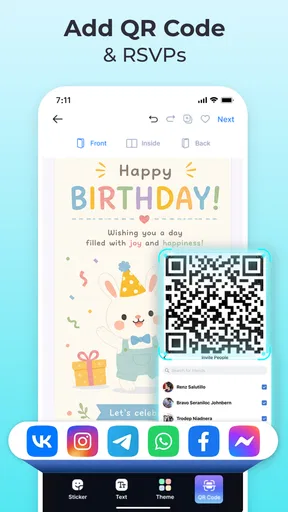
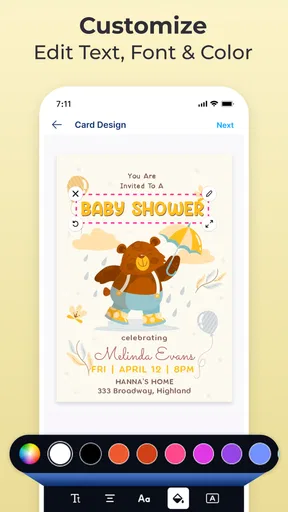
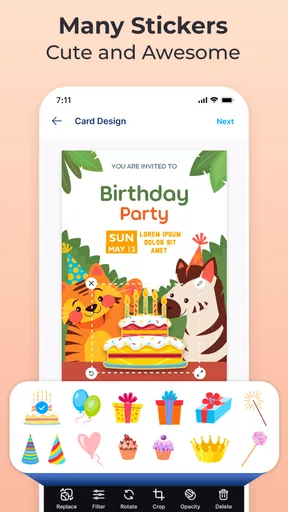
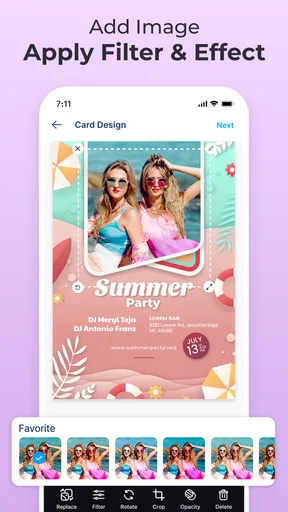
 Analysis by AppCompare
When I need an invitation that feels more personal than a plain message but don’t want to build a design from scratch, a ready-made layout is the part that saves me the most time. That is the appeal of Invitation Maker & Card Design: it gives me a starting point for a celebration card, then lets me shape the details around the occasion. I spent a good chunk of an evening trying out its invitation-making approach, and I can see why it suits people who want a polished result without first learning a full design program.
A useful shortcut, not a substitute for a designer
The central idea is straightforward: choose a template, personalize it, and make a card that is ready to share or print. That changes the task from arranging every element on a blank canvas to making a series of smaller decisions. For a birthday, wedding, or RSVP, that can be a welcome shortcut when the important thing is getting the date, wording, and overall mood right.
I like this approach most when I already know what I want the invitation to say but have no strong opinion about how to lay it out. A template gives the text and decoration a visual structure before I start editing. It also helps keep the design focused: instead of adding every idea that comes to mind, I can judge each change against the layout that caught my eye in the first place.
How I would shape an invitation
I’d begin by browsing for a design that fits the event’s tone, rather than picking the first attractive option and trying to force it to work. A restrained style may suit a formal gathering, while a brighter look may feel more at home on a birthday card. Once I have a base, I’d edit the essential wording first: the event, date, time, and any RSVP details. That makes it easier to see whether the design has enough space for the information guests actually need.
Then I’d adjust color and type, taking care not to make the practical details harder to read. The ability to customize text, colors, and other elements gives room to make the card feel personal, but it is easy to overdo that freedom. I find it useful to make one change at a time and check the whole composition after each one. If a font looks lovely at a glance but makes a long venue name awkward, readability should win.
For a digital invitation, I’d check the finished card at the size a guest is likely to see on a phone. A design can look balanced while I’m editing and feel crowded once it is viewed smaller. For a printed version, I’d review the wording and spacing once more before sending it to print. These simple checks matter because the card is doing a job: guests should be able to understand the details quickly, not just admire the decoration.
Where it fits into a busy day
Picture a friend who has agreed to host a small birthday dinner and suddenly realizes that a group message feels too casual. They can use a template as a visual starting point, add the time and RSVP request, and make something with a little more character without spending the evening learning design software. The useful part is not just the finished artwork; it is having a clear workflow when there are already other plans to organize.
Worth Reading Before You Choose

EA SPORTS FC Mobile 26 Is a Bigger Football Game, but It Takes Time

Flipboard Shows What News Apps Must Do Beyond the Feed

Switching to Android Auto Means Rethinking Your Driving Routine

Google Calendar Makes a Crowded Week Easier to Manage

Ludo King Makes the Most of the Minutes Between Plans

Baby Panda World Brings Quick Play to Modern Phones, but Its Game Library Feels Busy
That same template-led process can help with a wedding-related card or a casual get-together, especially when the organizer needs a consistent look and has limited time. I would still proofread names, dates, and addresses carefully before sharing. A beautiful invitation cannot compensate for a missing detail, and fixing an error after sending can be more awkward than taking an extra minute to review it.
For people who make invitations often, I’d treat the app as a practical tool for routine designs rather than assume every card needs to be built from zero. For a one-off event, the value is different: it can reduce the blank-page problem and make a small creative task feel manageable. Either way, I’d let the event details guide the design rather than spending too long browsing for a template that is perfect in every tiny respect.
First Impressions and Usability
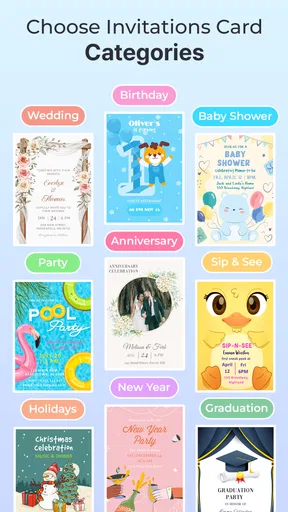
Right off the bat, what struck me about Invitation Maker & Card Design is its user-friendly interface. Navigating through the app is a breeze. Even if you’re not a tech wizard, you’ll find everything pretty intuitive. The main screen gives you a sneak peek into the wide variety of templates available. It’s like walking into a candy store; there’s something for everyone.
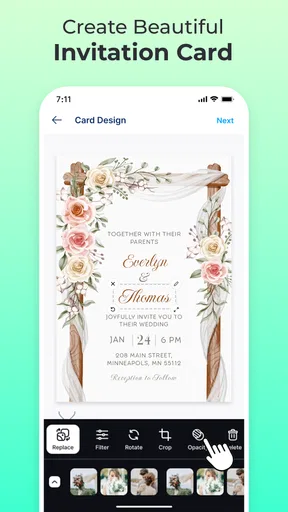
Once you pick a template, customization is where the real magic happens. You can tweak everything from the color scheme to the fonts, and let me tell you, the font selection is as varied as it is stylish. I particularly appreciated the drag-and-drop feature, which makes the whole process feel smooth and effortless.
Features That Stand Out
Now, let’s talk features. If you’re anything like me, you love apps that come packed with options but don’t overwhelm. This app strikes that balance beautifully. Here’s what caught my eye:
- Template Variety: Whether you’re looking for something chic and modern or something more classic, there’s no shortage of choices. Each template is professionally designed, so you’re guaranteed a polished look.
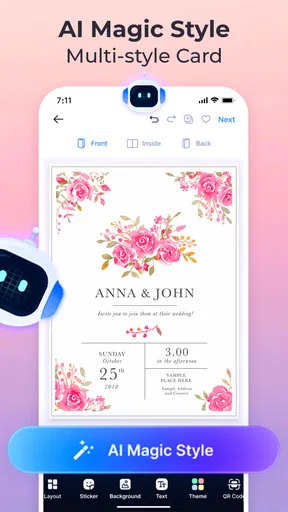
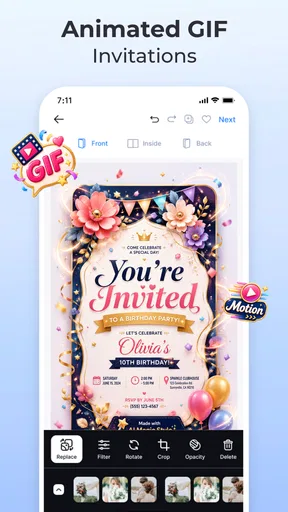
- Customization Galore: You can modify every element of your card or invitation. From tweaking the text to adding stickers or images, the possibilities are endless.
- Share and Print Options: Once you’re happy with your creation, sharing it is a snap. Whether you want to send it digitally or print it out, this app’s got you covered.
Making choices that improve the result
One practical tip is to decide the invitation’s priority before decorating it. If the key purpose is to collect RSVPs, make the response instruction easy to spot. If the card is mainly a keepsake, there may be more room for expressive styling. This small choice helps me avoid a common template-editing trap: making the design attractive while letting the information guests need fade into the background.
I’d also keep a copy of the wording outside the design while editing, particularly for an event with several details or a long address. That gives me a simple reference for checking that every line made it onto the finished card. It is a low-effort safeguard, but it is more dependable than trusting memory while moving text and adjusting decorative elements.
Another trade-off is that a template can make a design look coherent quickly, yet it may also make different events feel visually familiar if I use the same style repeatedly. Changing the palette or typography can help, but the event’s own wording and a few considered edits do more than piling on extra decoration. I’d rather have a clear card with a personal touch than a crowded one that tries to use every available option.
Designing Like a Pro
One of the best aspects of this app is how it empowers you to create designs that look like they’ve been crafted by a professional. I was particularly impressed by the quality of the graphics and the attention to detail in the templates. It’s like they’ve thought of everything.
Also, if you’re feeling particularly creative, you can start from scratch and design your own card. This feature is perfect for those moments when you have a specific vision in mind and want complete control over the design process.
How it compares with other ways to make a card
Compared with a general-purpose graphics editor, a template-focused invitation app asks for fewer early design decisions. That is an advantage if I want to produce a card quickly; a broader editor may be better if I need precise control over every layout detail or want to create material beyond invitations. A plain text message is faster still, but it does not offer the same sense of occasion. I see this app occupying the useful middle ground: more considered than a quick message, less demanding than designing a complete layout from a blank page.
There is also a trade-off between choosing a ready-made look and making something truly distinctive. Starting from scratch gives me more freedom, but it also takes more judgment to balance text and decoration. A template can be the smarter choice when I am short on time or unsure where to begin; a separate design tool is more suitable when a specific visual identity or exact layout control matters more than speed.
Room for Improvement
While my experience with Invitation Maker & Card Design was largely positive, there were a couple of areas I think could use a bit of polish. For one, the app can be a bit resource-heavy. I noticed some lag when working on more complex designs, especially if you’re on an older device. Additionally, while the app offers in-app purchases, some of the more premium templates can be a bit pricey for what they offer.
That said, these are minor issues in the grand scheme of things. The app’s core functions are solid and more than make up for these small hiccups.
Who will get the most from it
I’d recommend it most to someone who wants a good-looking invitation without turning the job into a design project. It is especially appealing if you prefer choosing a starting layout and adjusting its wording and appearance rather than composing every element yourself. The app is free to download, is rated for Everyone, and is made by Maxlabs Graphic Design Tools. Its average rating is 4.2 from around 21,000 ratings, and it has been installed over 10 million times, which suggests it has found a broad audience among people looking for this kind of creative shortcut.
It is less likely to suit someone who needs fine-grained layout control, a highly original visual identity, or a tool for many kinds of graphic work beyond cards and invitations. In those cases, a full design editor may be a better fit even if it takes longer to learn. I’d also think carefully before paying for premium designs if I only need one card; the app includes in-app purchases ranging from $2.99 to $39.99 per item, so I would first see whether the free options cover the occasion and style I have in mind.
The app’s current version is 2.0.5, and it runs on Android 6.0 or later. Those details make it easier to judge whether it is a practical choice for your device, but the more important question is whether its template-based workflow matches the way you like to work. If you enjoy a guided starting point, it is an approachable option; if you prefer complete control from the first blank canvas, you may find the same structure limiting.
Final Thoughts
So, is Invitation Maker & Card Design worth your time? Absolutely. Whether you’re a design novice or a seasoned pro, this app offers something for everyone. It’s versatile, user-friendly, and packed with features that make creating stunning invitations a breeze. Plus, the satisfaction of sending out a card that looks like it was made by a professional is truly unbeatable.
If you’re looking to up your invitation game, download the app and give it a whirl. Trust me, you won’t be disappointed. Happy designing!
Pros
- User-friendly interface for quick design.
- Wide variety of templates available.
- Easily customizable fonts and colors.
- Supports high-quality image exports.
- No watermark on saved designs.
Cons
- Limited free features without subscription.
- Occasional ads can interrupt workflow.
- Requires internet for full functionality.
- Some templates feel outdated.
- In-app purchases can be pricey.
FAQs for Invitation Maker & Card Design
What features does Invitation Maker & Card Design offer?
Invitation Maker & Card Design offers a wide range of features, including customizable templates, a variety of fonts, colors, and graphics, and the ability to add personal photos. It also provides options for different types of invitations, like weddings, birthdays, and corporate events. Users can easily save and share their designs through social media or email.
Is Invitation Maker & Card Design user-friendly for beginners?
Yes, the app is designed with a user-friendly interface that is intuitive for beginners. It provides easy-to-follow instructions and a drag-and-drop feature, making it simple to customize designs. The app also includes tutorials and tips to help new users get started quickly without feeling overwhelmed.
Are there any in-app purchases in Invitation Maker & Card Design?
While the app offers a variety of free features, it also includes in-app purchases for premium templates and assets. These purchases allow users to access exclusive designs and advanced tools. Prices for these items vary, and users can choose whether to invest in these additional features based on their needs.
How can I share my invitations created in the app?
Invitations created using the app can be easily shared through multiple channels. Users can save their invitations as images or PDFs and send them via email or directly post them on social media platforms. The app also supports direct printing if you prefer physical copies of your designs.
Does Invitation Maker & Card Design require an internet connection?
The app functions both online and offline. However, to access certain features like downloading new templates or sharing your designs online, an internet connection is required. Offline, users can still design and save their invitations, making it convenient for use anywhere.


